To add a video to your listing (Partners only), you first need to upload it to a hosting service that provides an embed code. We recommend YouTube.
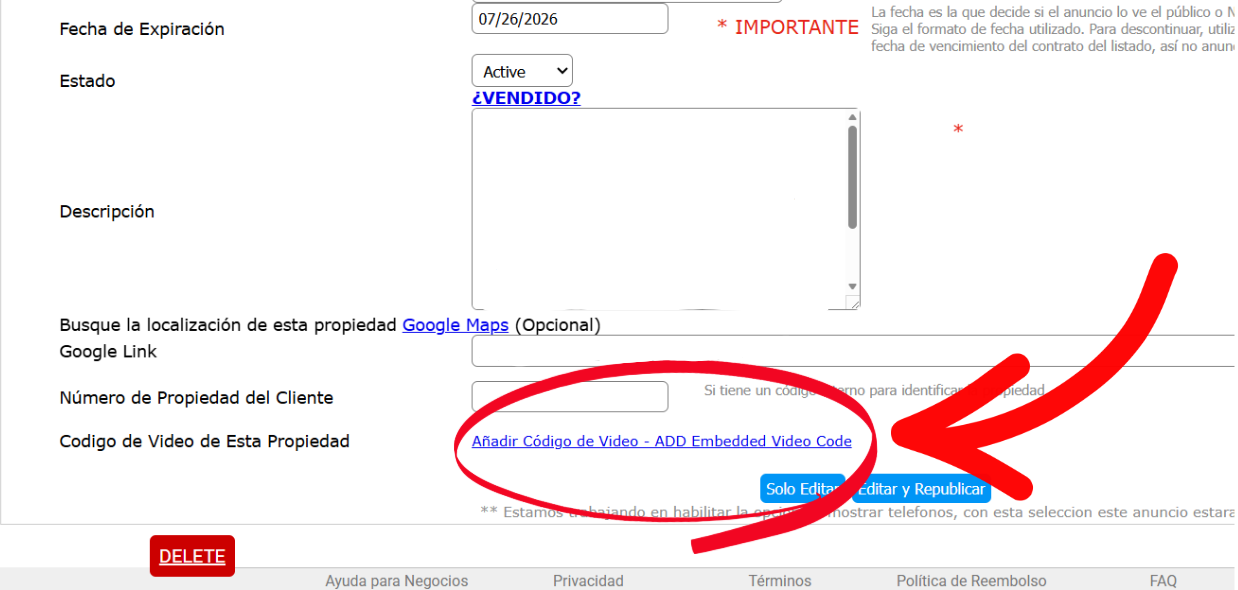
Once you have your video, locate and copy the embed code. Return to the page where you edit your listing and look for the link labeled "Add Tour Code / ADD Embedded Code." You will find it at the bottom of the page.
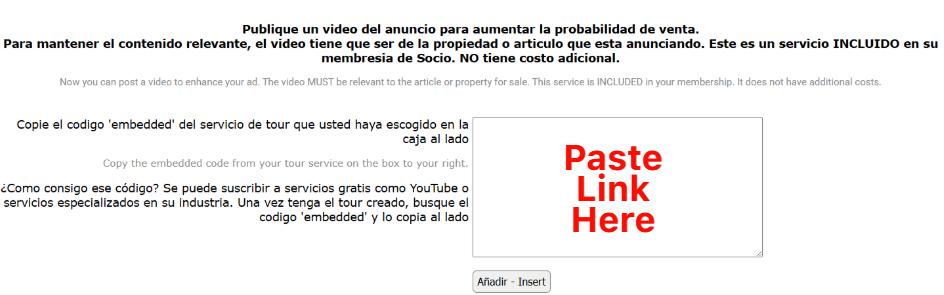
Click that link to open a new page, then paste the code into the designated field.